ToolTip Text
It is a special hover method to show extra text about the element when moved over it. When the mouse is hovered over that element, a tooltip dialogue box is displayed conveying the required information.
A tooltip typically consists of:
- The element (text, button, image, etc.) that the user hovers over.
- The tooltip text — a hidden element that becomes visible on hover.
The tooltip text is usually positioned above, below, or beside the hovered element.
Example:
<!DOCTYPE html>
<html>
  <head>
    <title>CSS Tooltip</title>
    <style>
      /* This is the container for the tooltip text */
      .tooltip {
        position: relative;
        display: inline-block;
      }

      /* This is the actual tooltip text box */
      .tooltiptext {
        visibility: hidden; /* Hidden by default */
        background-color: rebeccapurple;
        color: wheat;
        border-radius: 6px;
        padding: 5px;
        margin-left: 5px;
        margin-top: -2px;

        /* Position the tooltip text */
        position: absolute;
        z-index: 1; /* Ensures the tooltip appears on top of other elements */
      }

      /* This makes the tooltip text visible when you hover over the .tooltip container */
      .tooltip:hover .tooltiptext {
        visibility: visible;
      }
    </style>
  </head>
  <body style="font-family: 'Lucida Sans'">
    <h1>Basic Tooltip</h1>

    <div class="tooltip">
      Hover over me
      <span class="tooltiptext">Hi this is tooltiptext</span>
    </div>
  </body>
</html>
Output:
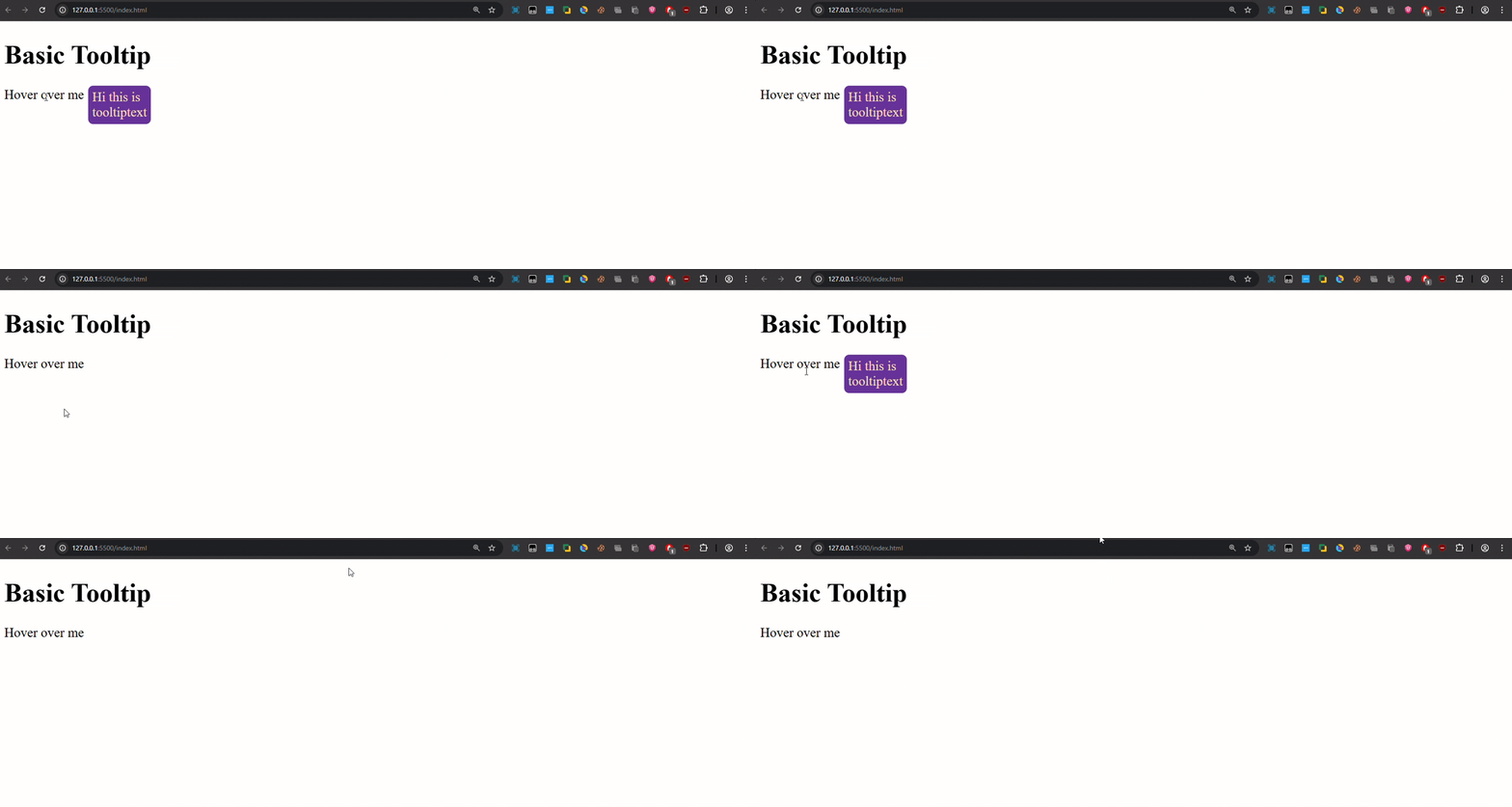
This way we can add a dialogue box on the elements to add accessibility to our website.
You can also experiment with the tooltip animation by including: CSS Transitions properties here.